How to access the body camera and military helmet camera data?
Introduction
Since the camera records events between law enforcement officers and the public, the original recorded data should be stored in the body camera and military helmet camera, and law enforcement officers should not be allowed to change, edit or tamper with the evidence privately. If the evidence is changed by law enforcement officers, the authenticity of the data will change. This will cause the records of the original scene events of both parties to be untrue. Therefore, the industry standard must set a password to protect the authenticity of the original evidence. Ensure that the authenticity and originality of the data recorded by both parties during the interaction can be saved and queried.
How to connect the body camera to the computer and download data?
1, Please connect the camera to the computer via a dedicated USB cable. (Battery resolution is recommended at 1080P).
2, Open the camera management software we provide you as pictures:
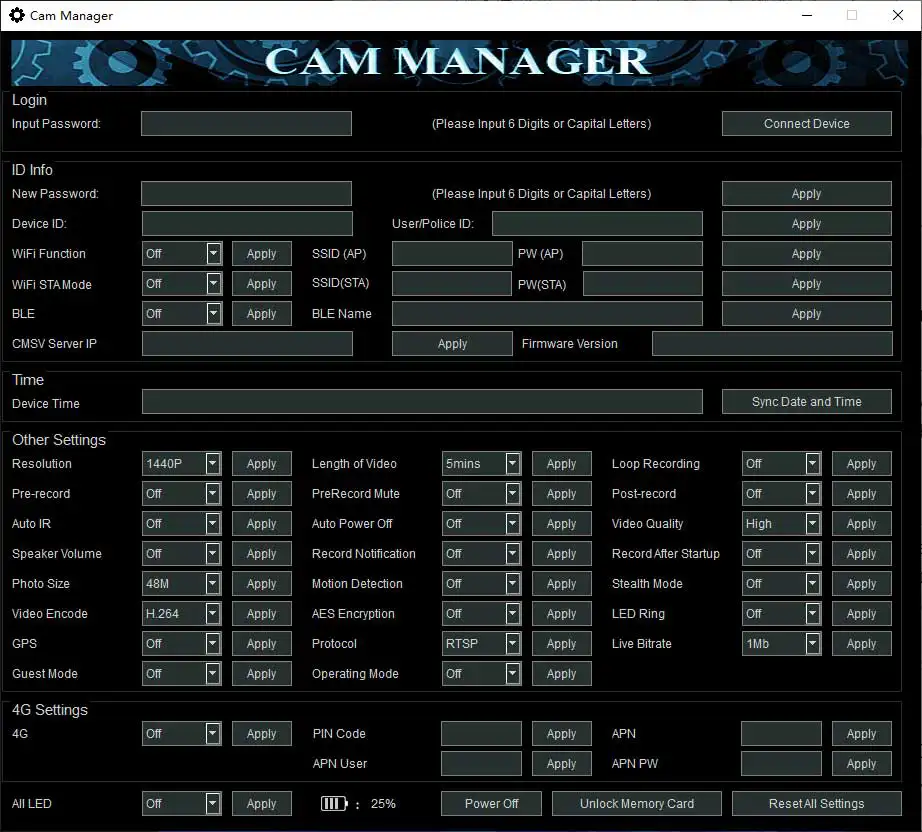
3, Please enter cam manager software to input password, and than click “connect device” button, at this time, the camera will be connected to the camera software and a prompt will be displayed that the connection is successful.
4, After clicking “Unlock Memory Card” button, The camera disk will be displayed on your computer as picture:
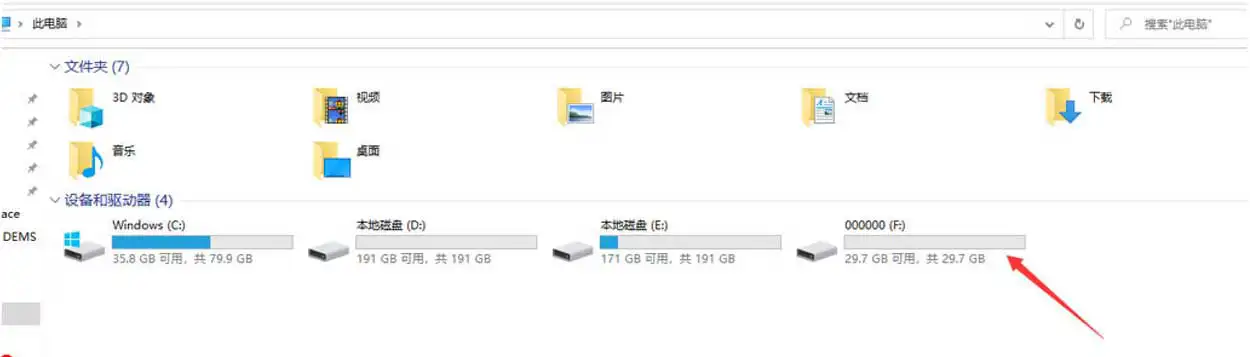
5,After opening, you can see each data folder and then copy it to the address you want to save it.
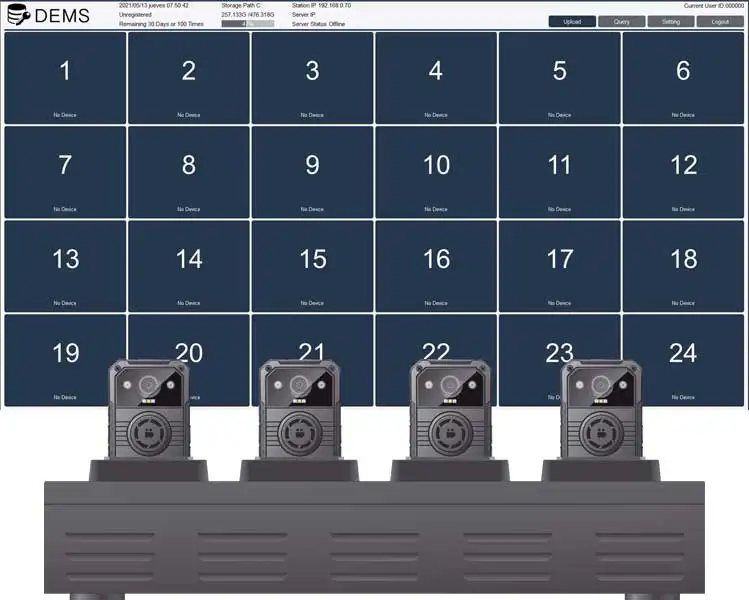
If you want to download multiple body camera and military helmet camera at the same time, please contact us about docking station and digital evidence management system (DEMS), which can download multiple cameras data and charge the cameras at the same time, completely freeing up the manual operation to download and speed up the process.