
How to set up and use the Push-to-talk (PTT) communication of the terminal for body camera and military helmet camera?
Overview:
NOVESTOM's body camera and military helmet cameras video equipment integrates the Push-to-talk (PTT) communication module of the terminal and the CMSV visual dispatch platform, which can perform two-way voice communication and dispatch tasks anytime and anywhere. And it supports advanced temporary group formation to discuss the on-site status with each law enforcement officer.
The Body camera sets Terminal PTT:
1. After the body cameras is connected 4G or WiFi, please find the PTT option in the camera menu and set it to "Terminal intercom".
2. Log in to the CMSV6 visualization platform and set audio parameters "intercom/PTT using 16k".
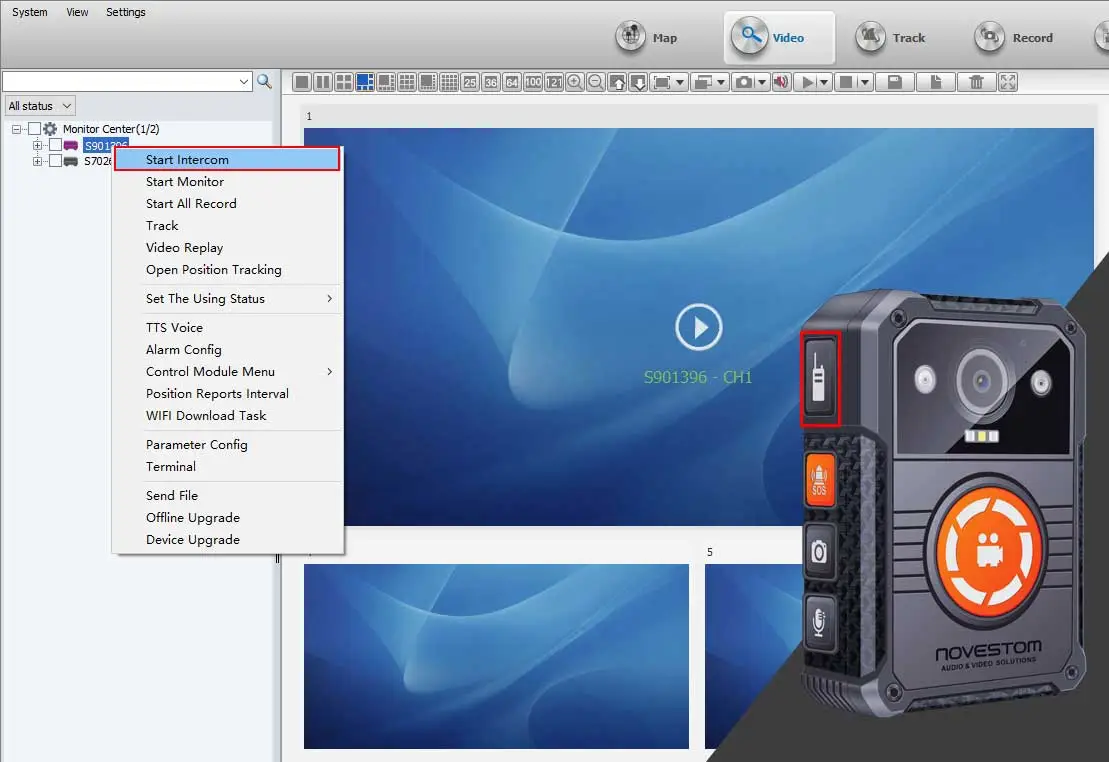
3. If the camera wants to talk to CMSV6, press the PTT button and CMSV6 will display a request window to accept the intercom dialogue. After the CMSV6 dispatcher accepts, the camera and CMSV6 can talk to each other. If CMSV6 wants to talk to the camera, right-click the camera ID to select the intercom function. Then CMSV6 can talk to the camera.
The body camera cluster PTT settings:
1. After the body camera is connected to 4G or WiFi, please find the PTT option in the camera menu and set it to "cluster intercom".
2. Log in to the CMSV6 visualization platform and set the audio parameters "intercom/PTT using 16k".
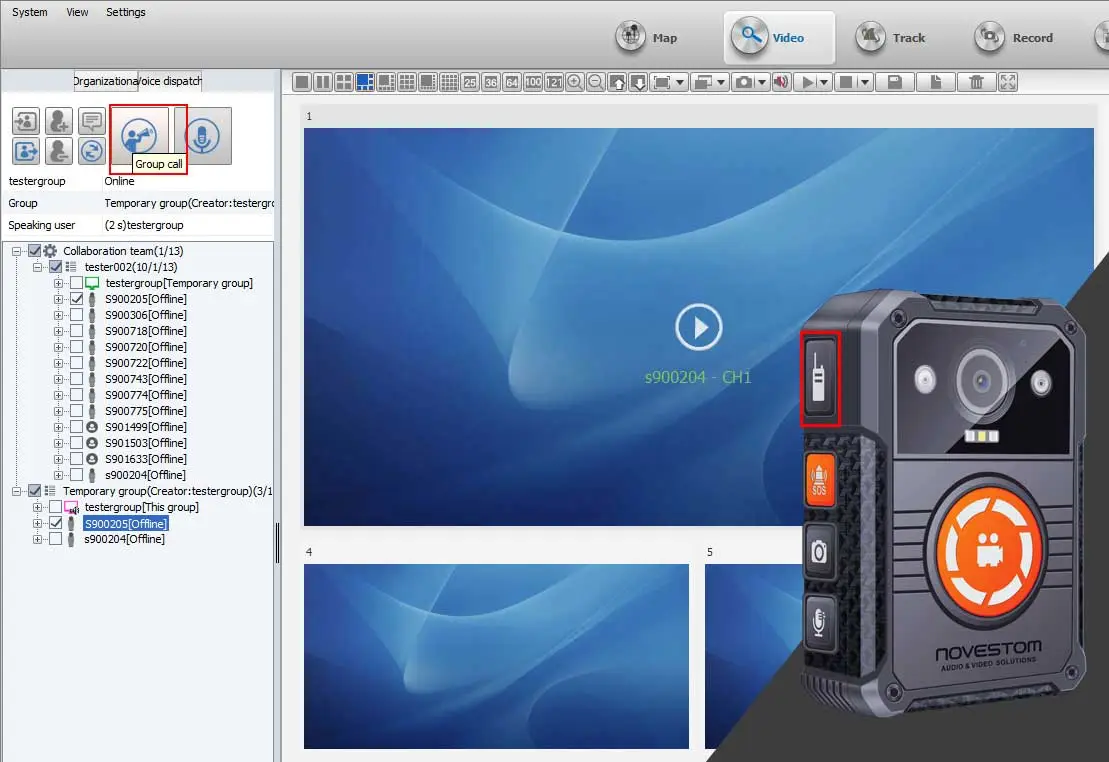
3. Create a camera cluster intercom authorization. For detailed settings, please visit the demonstration: How to install CMSV server software to your server for body worn camera (novestom.com)After setting up the camera cluster authorization, please log in to the CMSV6 cluster account. At this time, please press and hold the camera PTT button to speak. All cameras in the same temporary group will hear your voice. The same operation is performed on other cameras. All cameras and CMSV6 will hear the sound. Fully meet the discussion topics of all group members.
Note: NVS4-Q body camera, NVS4-D body camera and S29D military helmet camera do not support cluster intercom function.If you need to know more about the use of the intercom function of body camera and military helmet camera, please do not hesitate to contact NOVESTOM professional staff to answer your questions. Thank you